Changelog

The full service history for Visor.

Jun 16th, 2026

ยท1.3.5
Pricing breakdown (Mk1)

One of the most frustrating parts of car shopping is that the price you see online is often not quite the price you end up trying to understand.

Sometimes that is totally normal: taxes, title, registration, and a few state-specific fees usually live outside the headline number. But other times, the dealer site has a real pricing story hiding in plain sight: manufacturer incentives, qualified-buyer rebates, dealer discounts, doc fees, protection packages, reconditioning, add-ons, and the (more than) occasional bit of math that does not quite reconcile.

Today, we are starting to show more of the pricing breakdown directly on Visor.

Image

Pricing details, directly from the dealer site

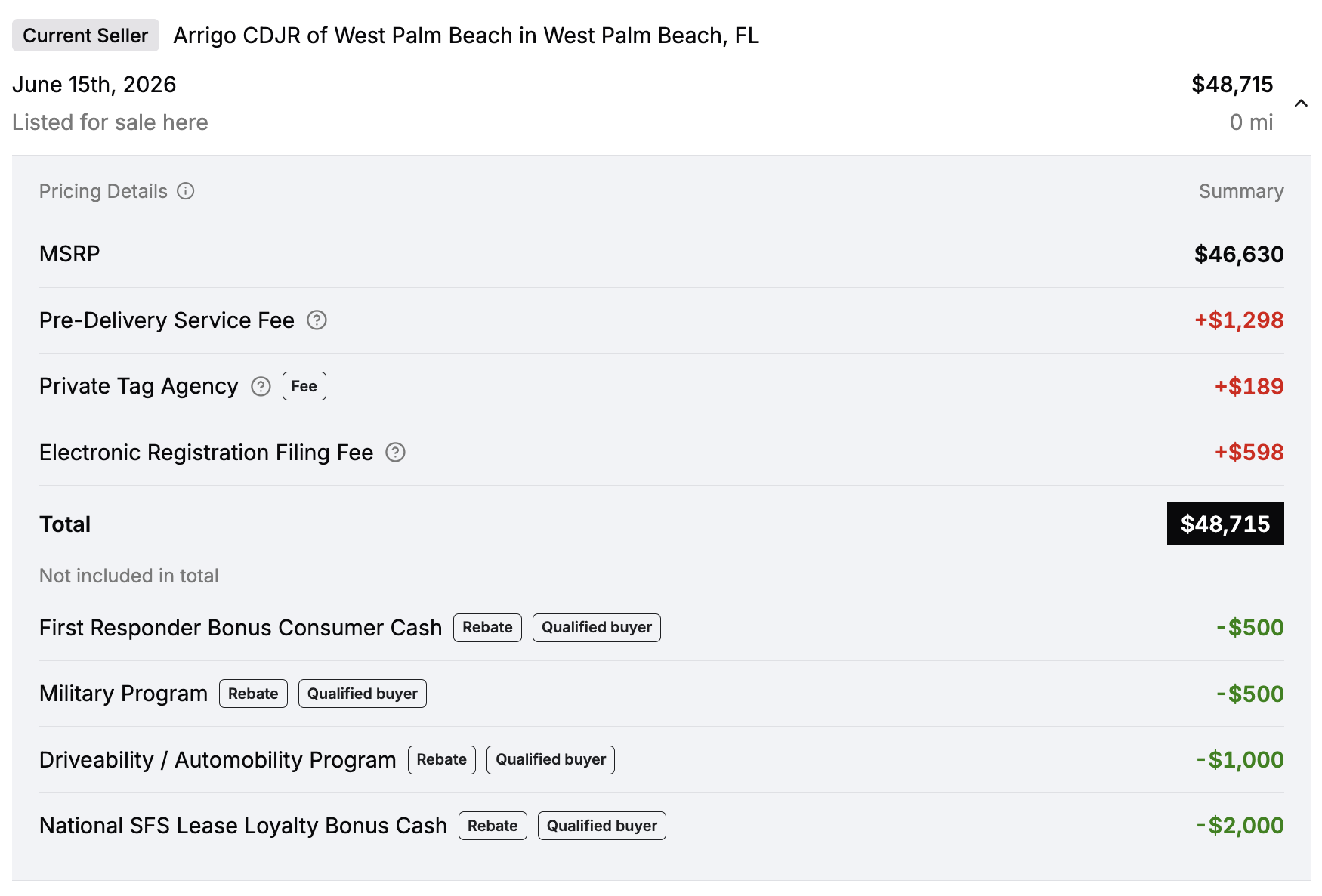
On listings where we have structured pricing information, you will now see a small marker next to the price. Click it, and Visor will take you down to a new Pricing Details section under the current listing history row.
Image

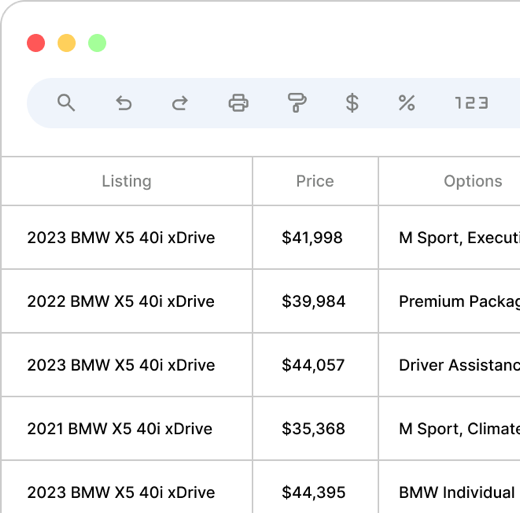
This section shows the line items we found on the dealer website, including things like:

  • MSRP or retail price anchors
  • dealer discounts
  • manufacturer incentives and rebates
  • fees
  • dealer add-ons
  • line-item notes explaining what a fee or incentive appears to mean

We also separate rows that do not appear to contribute to the displayed total, such as qualified-buyer incentives, below the total line. That way a rebate does not quietly look like it is already included when it may only apply to certain shoppers.

When the math does not quite add up

Dealer pricing pages are not always tidy. Sometimes the listed price, the fees, and the discounts do not reconcile cleanly. When the gap is meaningful, Visor will call it out as a possible dealer price gap instead of pretending the math is cleaner than it is.

This is not us saying the dealer is wrong, or that a specific discount is guaranteed. It is a heads-up that the line items we found do not fully explain the price being shown, and that the dealer site is worth checking directly before you treat the number as final.

Why now?

The broader market is clearly moving toward more pricing transparency. Earlier this year, the FTC sent warning letters to 97 auto dealership groups, reminding dealers that advertised prices should reflect the total price consumers are required to pay, including mandatory fees, and should not depend on rebates or discounts that are not available to everyone.

That does not magically make every dealer website clean overnight. But it does point in the right direction: buyers should be able to understand what is included, what is conditional, and what still needs to be verified.

Visor's job here is not to replace the dealer site or guarantee the final out-the-door price. It is to make the online price easier to inspect before you decide whether a listing is worth your time.

Starting small, expanding quickly

This is rolling out with a very small number of listings at first. You will not see it everywhere yet.

That is intentional. We are starting where the data is good enough to show responsibly, then expanding coverage rapidly over the coming weeks as we process more dealer pricing formats.

As always, treat this as another signal in the deal-hunting stack. Check the dealer site, read the fine print, and confirm directly before making any buying decision. But when the data is available, we hope this saves you a few clicks and a lot of squinting.

What's next

  • See specific line items on every historical pricing record, including fees or line items that were removed, introduced, or updated (Visor Plus)

  • Sort and display only the price you care about, whether that's all-in, without fees, without add-ons, you name it

  • Better coverage and support for every wacky "price stack" format under the sun
Jun 12th, 2026

Introducing the Visor API

We spend a slightly unreasonable amount of time asking questions about the car market.

Not just "show me Camrys near me," but questions like: how many clean manual F80 M3s are actually left under 60k miles? Are RAV4 Hybrid prices in California still drifting down? Which dealers keep discounting the same new trucks every week? What does the market look like if you care about one very specific option package?

We built Visor because car shoppers should be able to explore those questions on the site. The next obvious step was letting you explore them outside the site, too.

So today we're opening up the Visor API, along with a hosted MCP server for people who would rather talk to an AI agent than write code.

Start with MCP

Image

This is probably the most fun way to use it.

If you use Claude, ChatGPT, OpenClaw, Codex, or another MCP-capable client, you can connect the Visor MCP server and explore the car-market in plain English.

Ask things like:

  • "What's the median price of a used Toyota RAV4 in California?"
  • "Show me the 10 newest Honda Civic Si listings under $35k."
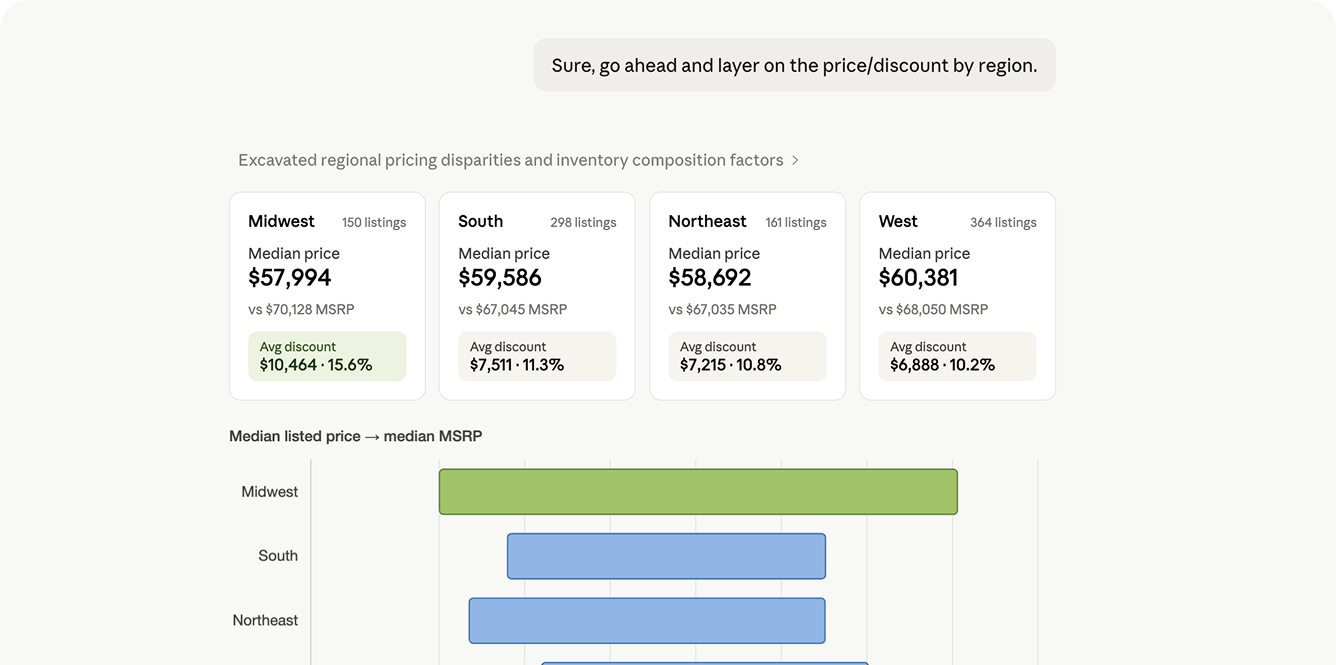
  • "Which Ford F-150 trims have the biggest discounts from MSRP right now?"
  • "Find sold examples for a 2023 BMW X5 xDrive40i near Atlanta."
  • "Compare this VIN against active listings and recent sales."

The agent picks the right Visor tool, runs the lookup, and brings back an answer you can work with. Under the hood, it's using the same public API that developers can call directly.

The MCP server is read-only. It can look up listings, dealers, VINs, prices, options, price history, sold inventory, and market slices, but it cannot change your Visor account. Most apps connect with normal Visor sign-in. If your client prefers bearer tokens, you can use an API key instead.

The hosted MCP server is available at:

https://mcp.visor.vin/mcp

Set up MCP here, or start from the new API page.

For developers

If you do want the raw API, the public beta starts here:

https://api.visor.vin/v1

The first version is focused on the things we reach for constantly inside Visor:

  • Search live and historical listings.
  • Pull a listing or VIN into a richer detail view.
  • Slice the market with facets and counts.
  • Look up dealers and their inventory.
  • Check usage so you know what you're spending.

If you've used Visor's filters, the API will feel familiar: make, model, trim, year, price, miles, location, inventory type, drivetrain, fuel type, colors, options, features, VIN patterns, sold status, and plenty more. Collection endpoints use limit and offset, return stable data and pagination envelopes, and support fields selections when you want leaner responses.

When you need heavier context, you can ask for things like include=price_history or include=options.

Read the API docs.

A few things this unlocks

Image

We expect you to surprise us here, but these are the kinds of uses we had in mind:

  • Pull nationwide inventory for a painfully specific enthusiast search into a spreadsheet.
  • Track the launch of a brand-new model as listings appear across the country.
  • Build a broker workflow around active listings, sold examples, and dealer inventory.
  • Compare trims, packages, colors, or drivetrain mixes without hand-counting listings.
  • Look up a VIN and pull together the latest listing, dealer, photos, options, and price history.

Here's a small listing search:

curl -G https://api.visor.vin/v1/listings \
  -H "Authorization: Bearer vis_live_..." \
  -d make=toyota \
  -d model=camry \
  -d year=2024 \
  -d state=CA \
  -d sort=price \
  -d limit=10

Pricing

The API is usage-based and prepaid during beta. Most common requests cost a fraction of a cent.

New API accounts include starter credit based on your Visor plan.

You can create an API account, make keys, connect MCP clients, add credits, invite team members, view usage, and set spend controls from Account -> API. No credit card is required to start.

A note on the beta

This is a public beta, so we expect the shape to keep changing. The first surface is centered on listings, VINs, dealers, facets, usage, and MCP because those are the parts we think people will actually use first.

There is a lot more we want to add. There are probably also a few things we made too fussy, or not fussy enough. That's usually how first versions go.

If you're technical, start with the API docs. If you want an AI agent that can understand the car market with you, start with the MCP setup guide.

May 29th, 2026

Introducing Visualize Mode

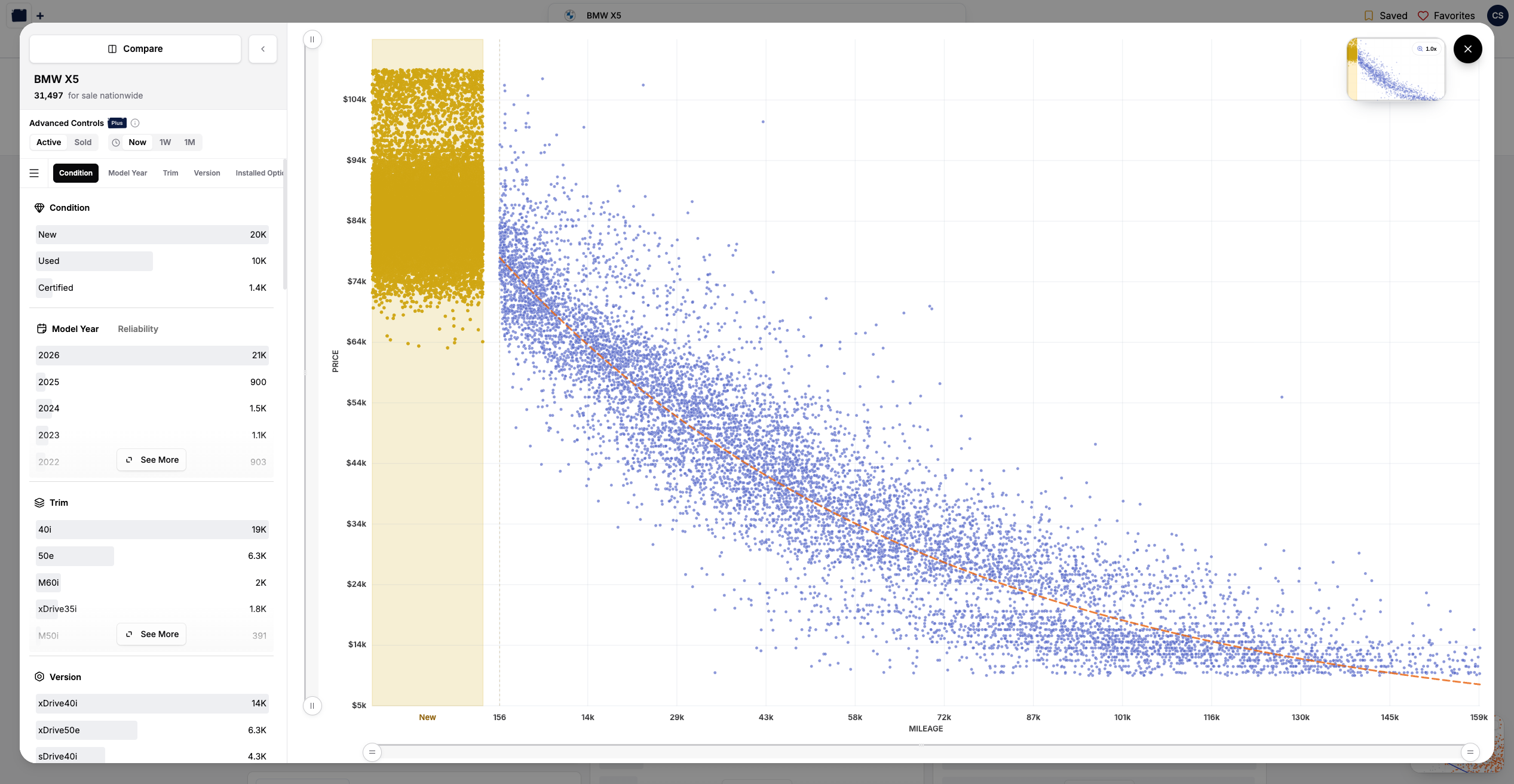
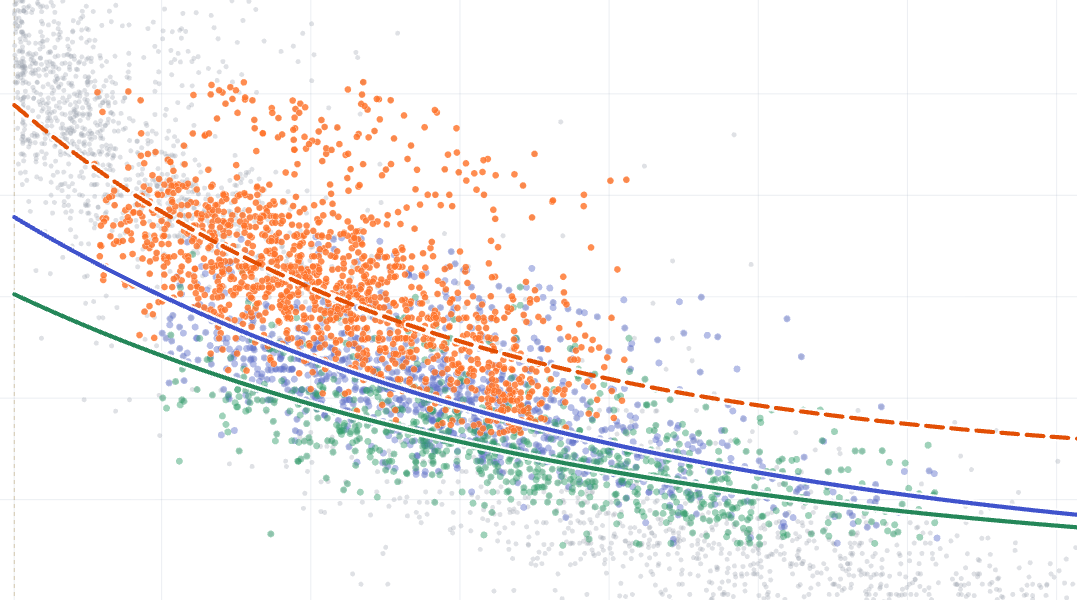
Hey there! We've been teasing this one on the roadmap for a while, and it's finally here. Visualize Mode is a brand-new way to look at a single make and model: a price-vs-miles chart that drops every listing in your filter set onto the full backdrop of the market. Spot the outliers, see where a car really sits, and let the market tell the story.

Image

Your filters, against the whole market

Image

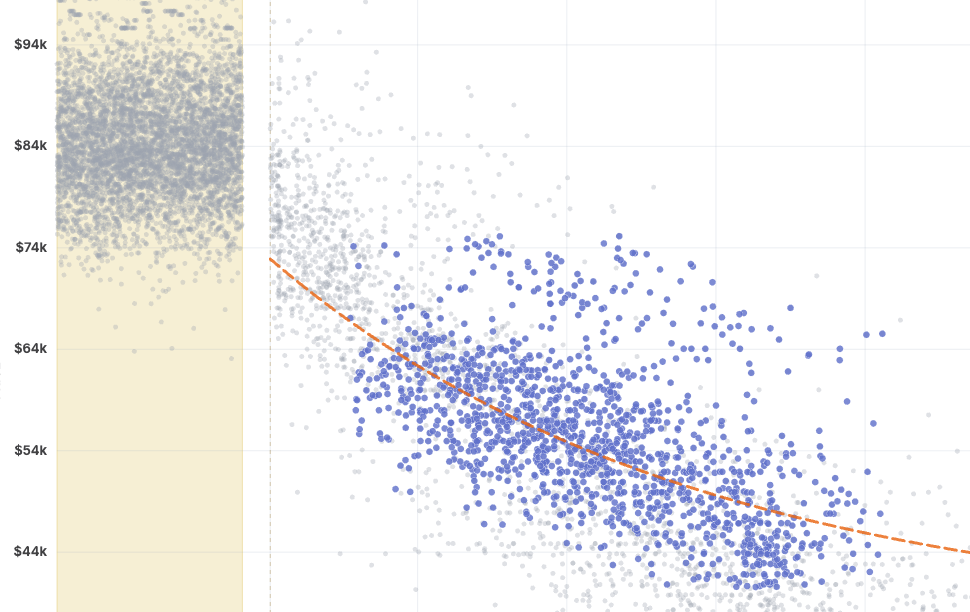
Open Visualize Mode from the filters page once you've narrowed down to a specific make and model (look for the button in the bottom-right). The colored dots are the listings matching your filters. The soft gray cloud behind them is the entire market for that vehicle, so you're never looking at your slice in a vacuum, you're seeing it in context.

Hover any point to pull up the listing. Use the minimap up top to zoom into a tight cluster, or zoom back out to take in the whole picture.

Follow the depreciation curve

Image

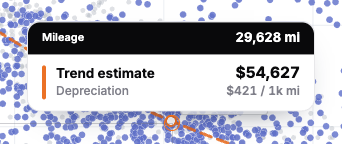
We fit a depreciation curve through the market so you can see, at a glance, how value falls off with miles. Hover anywhere along the line and we'll tell you the predicted price at that mileage, plus how much the vehicle is depreciating per 1,000 miles. It's a quick gut-check on whether a listing's asking price is keeping pace with the market, or running ahead of it.

Compare vehicles side by side

Image

Cross-shopping two (or more) vehicles? Hit Compare and plot them on the same chart, each with its own color and its own trend line. Set up one cohort, then Duplicate it and tweak a single filter to see exactly how the two stack up... or point a cohort at a completely different vehicle (say, a Volvo XC90 against a BMW X5). The trend tooltip reads out every cohort's predicted price and depreciation at once.

Reshape the market with Advanced Controls

Image

This is where it gets fun. With Advanced Controls you can:

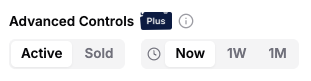
  • Switch between active listings and the ones we estimate have recently sold, to see what the market will actually bear.
  • Travel back in time to see where the market stood a week or a month ago.

Sold and historical figures are estimates rather than gospel, but they're awfully handy for sensing where things are heading. Advanced Controls are part of Visor Plus.

A note on the beta

Visualize Mode is launching in beta (you'll spot the little tag on the button). It's desktop-only for now, and we've got a long wishlist we're excited to work through. As always, the best way to shape what comes next is to tell us what you think.

What's next

  • More to plot against, beyond price and miles.
  • A brand new way to explore Visor's market data
  • EV filters!
  • A couple projects that have been in the garage for quite a while (they're going to be worth the wait)

May 21st, 2026

A clearer availability filter

Image

Hey there! We just made a small but useful update to the Availability filter so it better reflects what is actually happening with a vehicle.

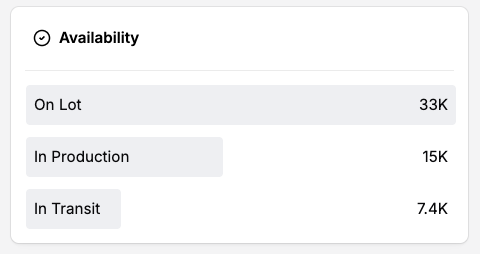
Previously, Availability was effectively a two-option filter: on the lot or in transit. That covered the basics, but it left out an increasingly common middle state for vehicles that have been allocated but are still being produced.

Stock, in production, and in transit

The Availability filter now supports three distinct statuses:

  • On Lot
  • In Production
  • In Transit

That means you can more cleanly separate vehicles that are physically available from vehicles that are still being built or already on the way to the dealer.

Old links that used the previous in-transit filter will continue to work and will automatically map to the closest new availability status.

May 6th, 2026

Filter by assembly country and specific location

Image

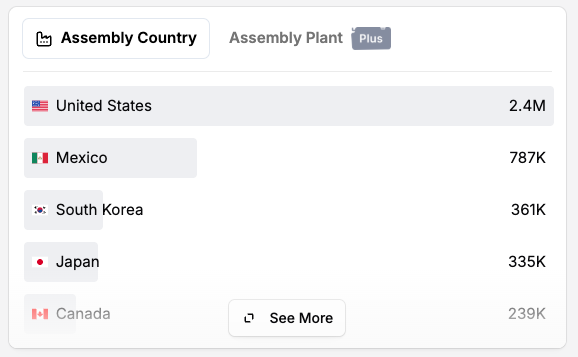
Hey there! This week we added two new filters that should make it much easier to understand where the vehicles you are looking at were actually built: Assembly Country and Assembly Location.

Given the renewed tariff chatter around cars and trucks coming into the United States, especially the latest comments about European-built vehicles, this felt like the right moment to make the manufacturing footprint a lot more visible inside Visor.

Filter by assembly country

If you want to answer a broad question like "show me SUVs assembled in the United States" or "which Audis were assembled in Germany?", Assembly Country is now available as a filter.

This is the best place to start when you care more about country of origin than the exact plant. It also works well for broader, make-agnostic searches where there may be dozens of individual assembly locations in the results.

Filter by assembly location

For more specific searches, you can now filter by the exact assembly location too.

For example, if you are looking at a specific make/model and there are only a couple plants represented in the market, you can narrow directly to vehicles assembled in places like Wolfsburg, Germany (IYKYK).

Assembly Location is a Visor Plus filter and Assembly Country is available for free.

As always, this data should be treated as a helpful market filter rather than a substitute for checking the window sticker or manufacturer docs on a specific vehicle.